For owners of one company, or several

Run every company you own, as one.

Invoices and e-invoices, bank, documents, hours and leave for each of your companies, in one private app built for Slovenian rules. At month end, your accountant gets everything in one package.

No card. We set up your private instance by hand, normally within one working day.

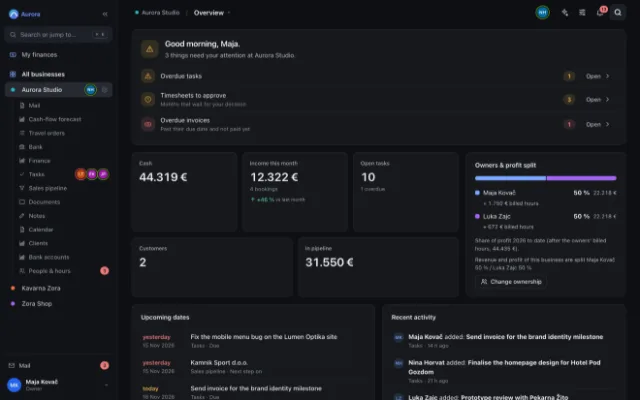
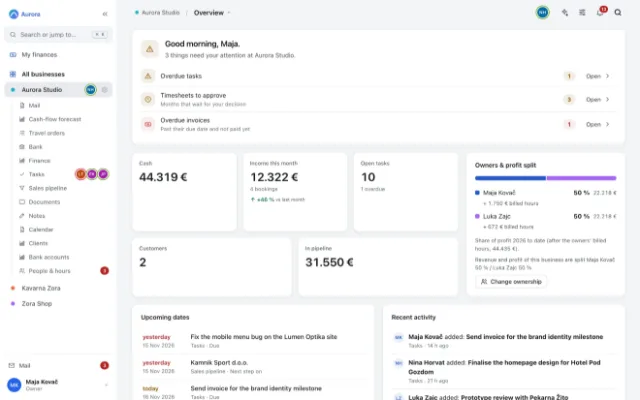
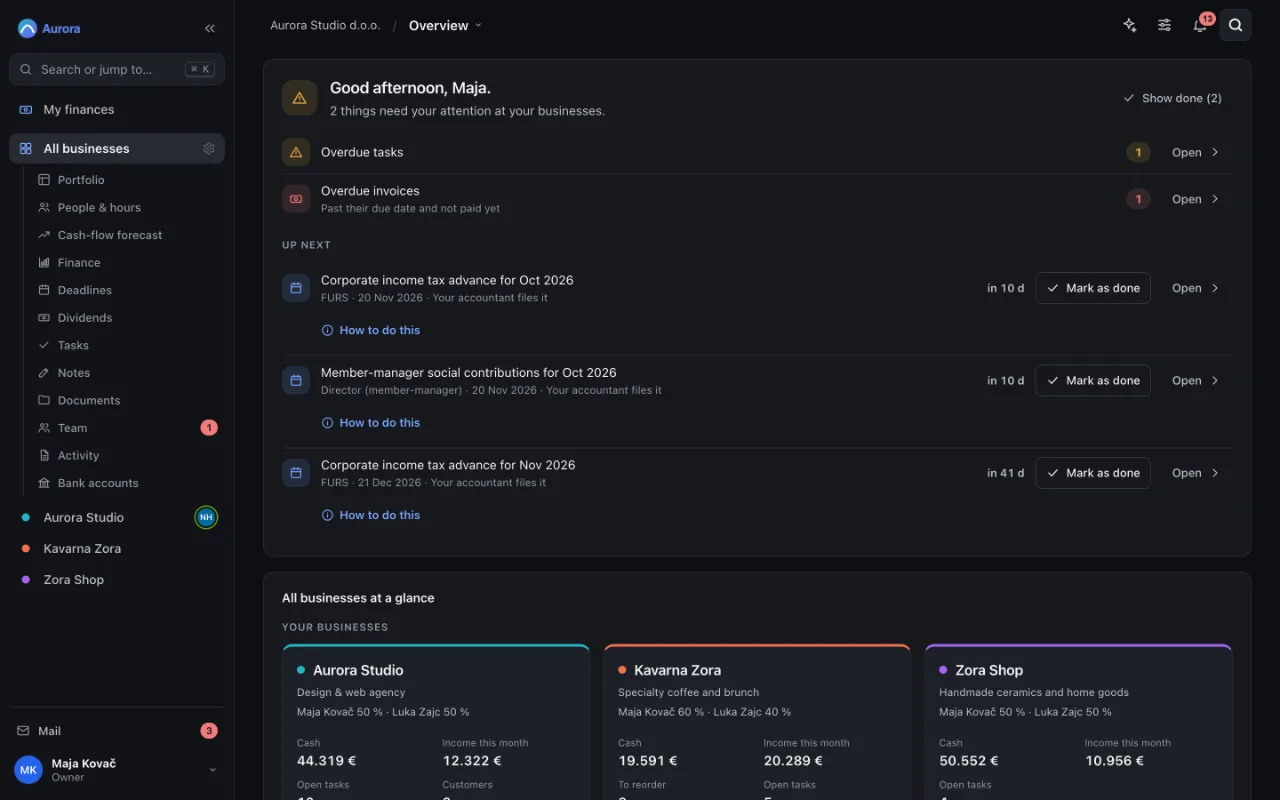
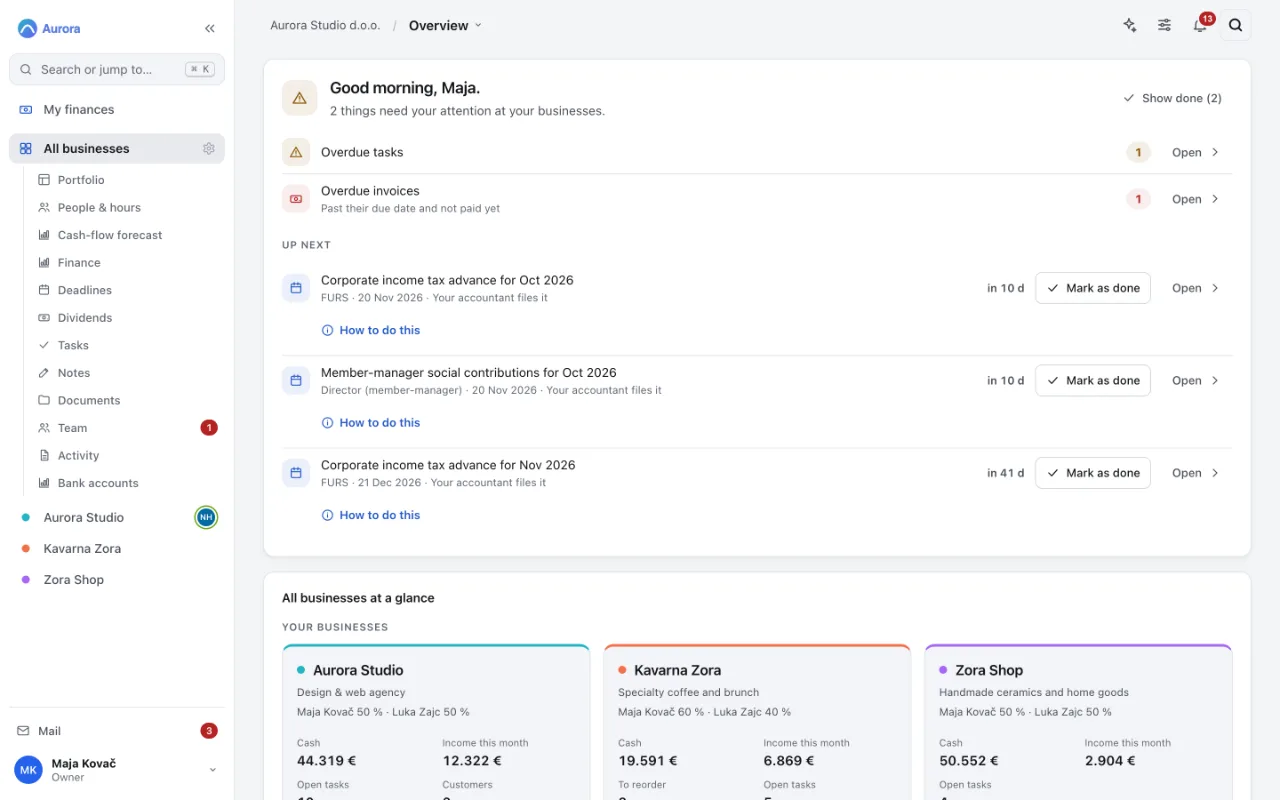
The Enovito overview of Aurora Studio d.o.o.: things that need attention (overdue tasks, timesheets to approve, overdue invoices), cash, income this month, open tasks and upcoming dates, with every company in the sidebar.The Enovito overview of Aurora Studio d.o.o.: things that need attention (overdue tasks, timesheets to approve, overdue invoices), cash, income this month, open tasks and upcoming dates, with every company in the sidebar.
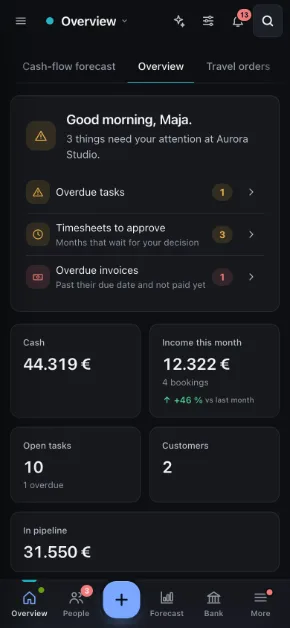
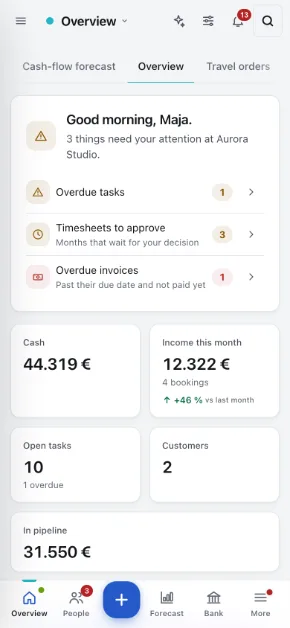
The Enovito phone app: the company overview with the tab bar.The Enovito phone app: the company overview with the tab bar.

One tool instead of six

The stack you pay for today, and the one you could.

Most small companies run on an invoicing app, a time tracker, a task board, a shared drive, a leave spreadsheet and a bank export someone retypes every month. Tick what you use and compare.

Tools you pay for now

Prices are typical list prices for a small team, excluding VAT. Change them to what you actually pay.

Your size
Your stack today
€130 per month
Enovito plan that fits
€79 Team, per month
Difference per year
€612 cheaper with Enovito

And your time: no retyping between tools, one place to look.

A short tour

See it the way you would use it.

The real app, with a fictional company: Aurora Studio d.o.o.

  1. Step 1 of 7

    Monday morning: what waits for you

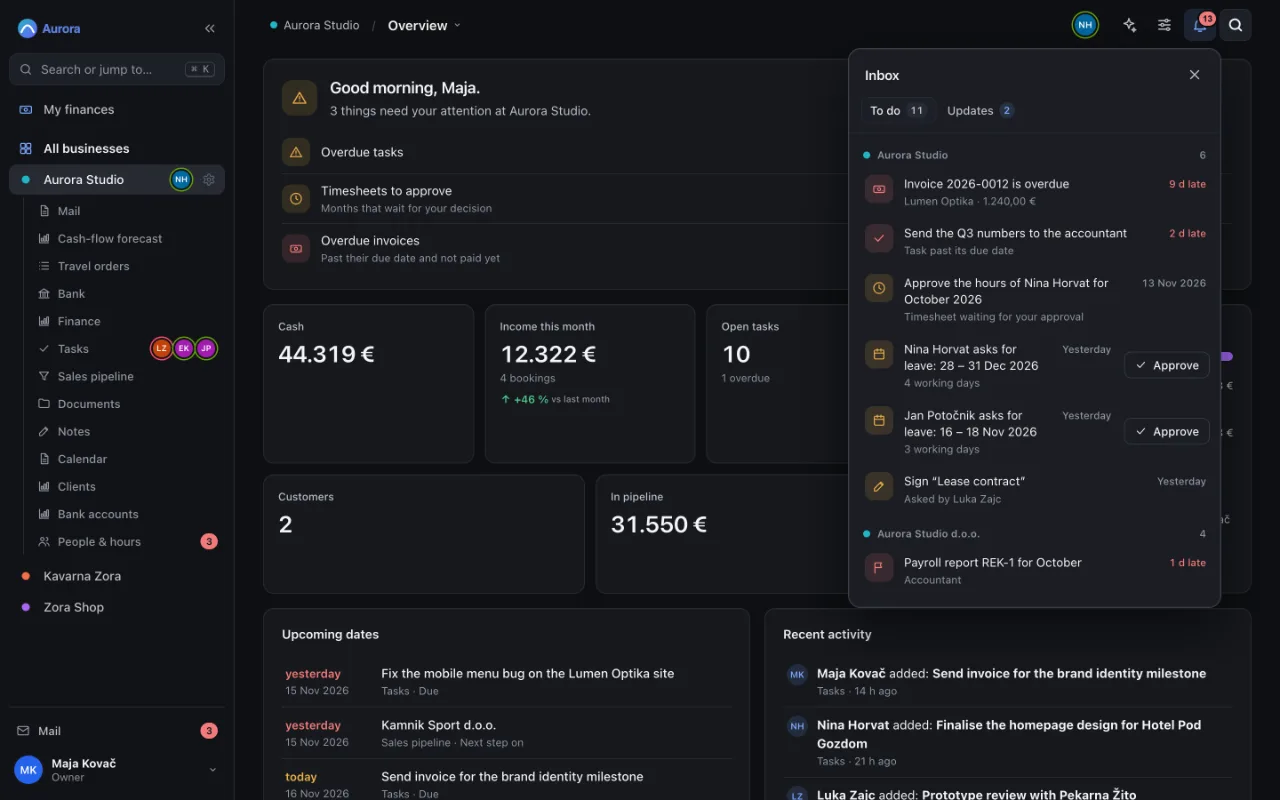
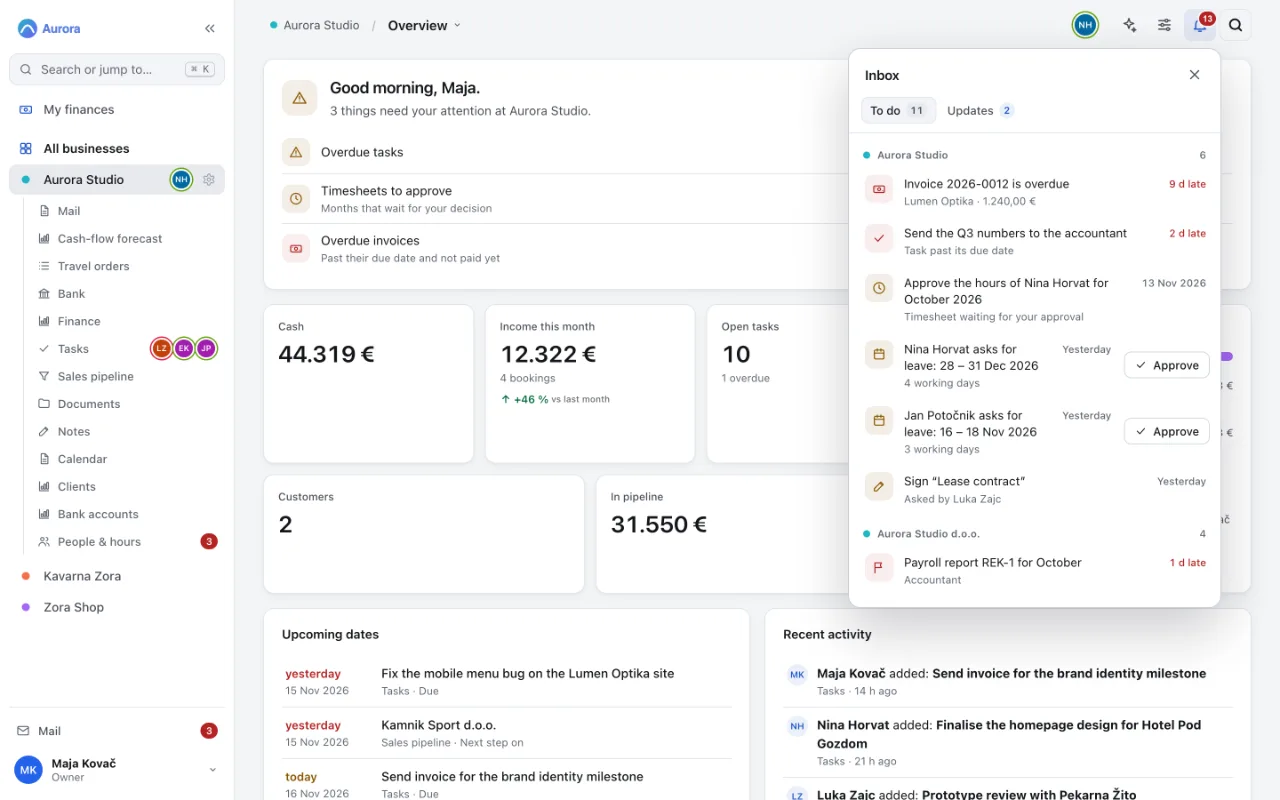
    One inbox for every company: overdue invoices, late tasks, timesheets and leave requests, each with how late it is.

    1. An overdue invoice, with the days it is late
    2. Approve leave without leaving the list
    The inbox: overdue invoices, late tasks, timesheets and leave requests waiting for a decision, grouped by company.The inbox: overdue invoices, late tasks, timesheets and leave requests waiting for a decision, grouped by company.
  2. Step 2 of 7

    Send an invoice

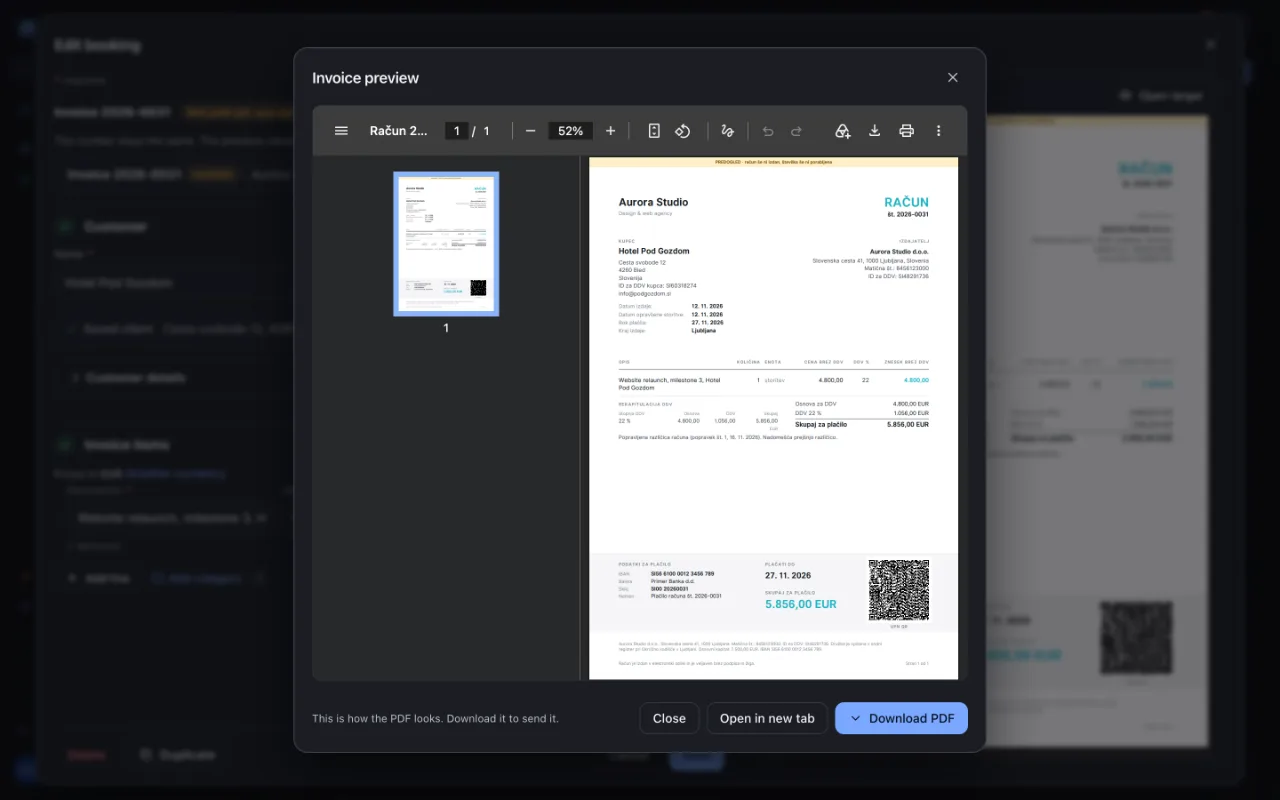
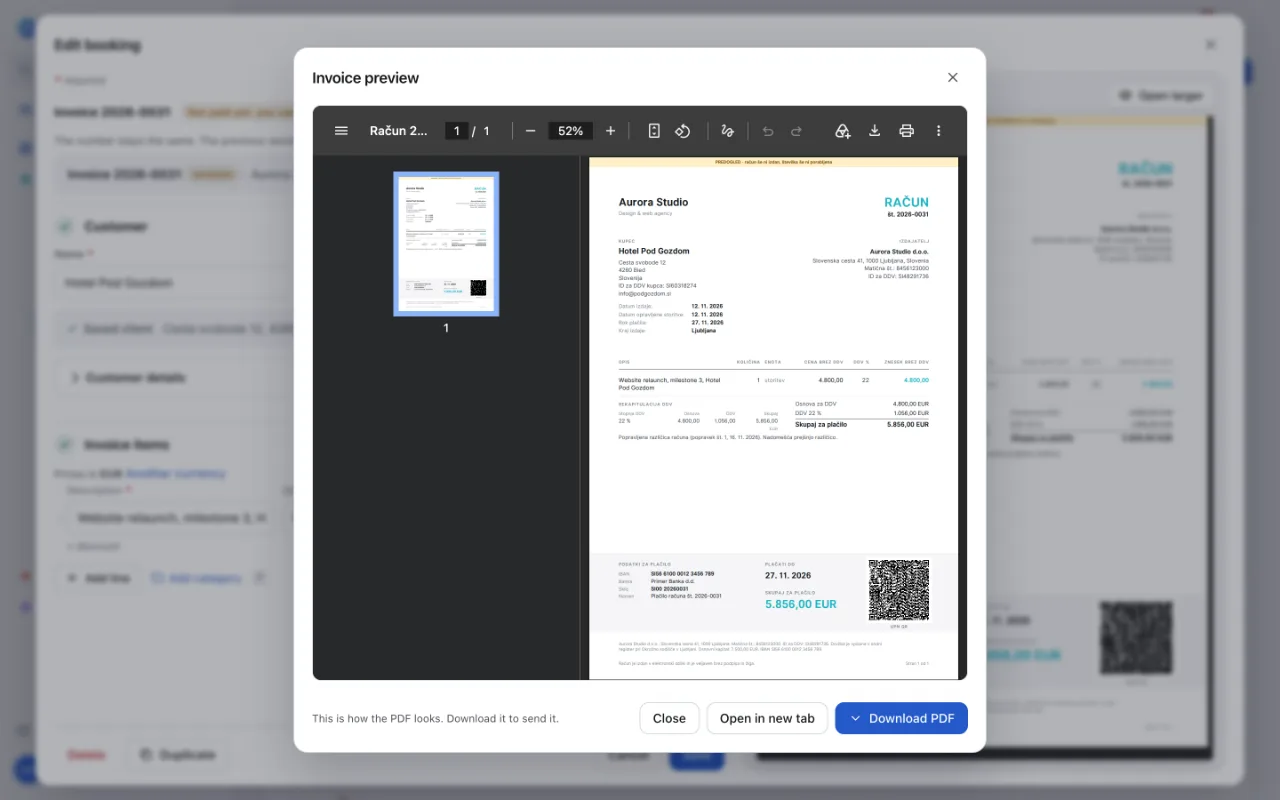
    A Slovenian invoice with the right dates and VAT wording, ready as a PDF or as an eSLOG 2.0 e-invoice.

    1. A UPN QR code your customer scans to pay
    2. Download the PDF and send it
    An issued invoice in Enovito: issuer and customer details, dates of issue and supply, line items, VAT and a UPN QR code for payment.An issued invoice in Enovito: issuer and customer details, dates of issue and supply, line items, VAT and a UPN QR code for payment.
  3. Step 3 of 7

    The payment arrives

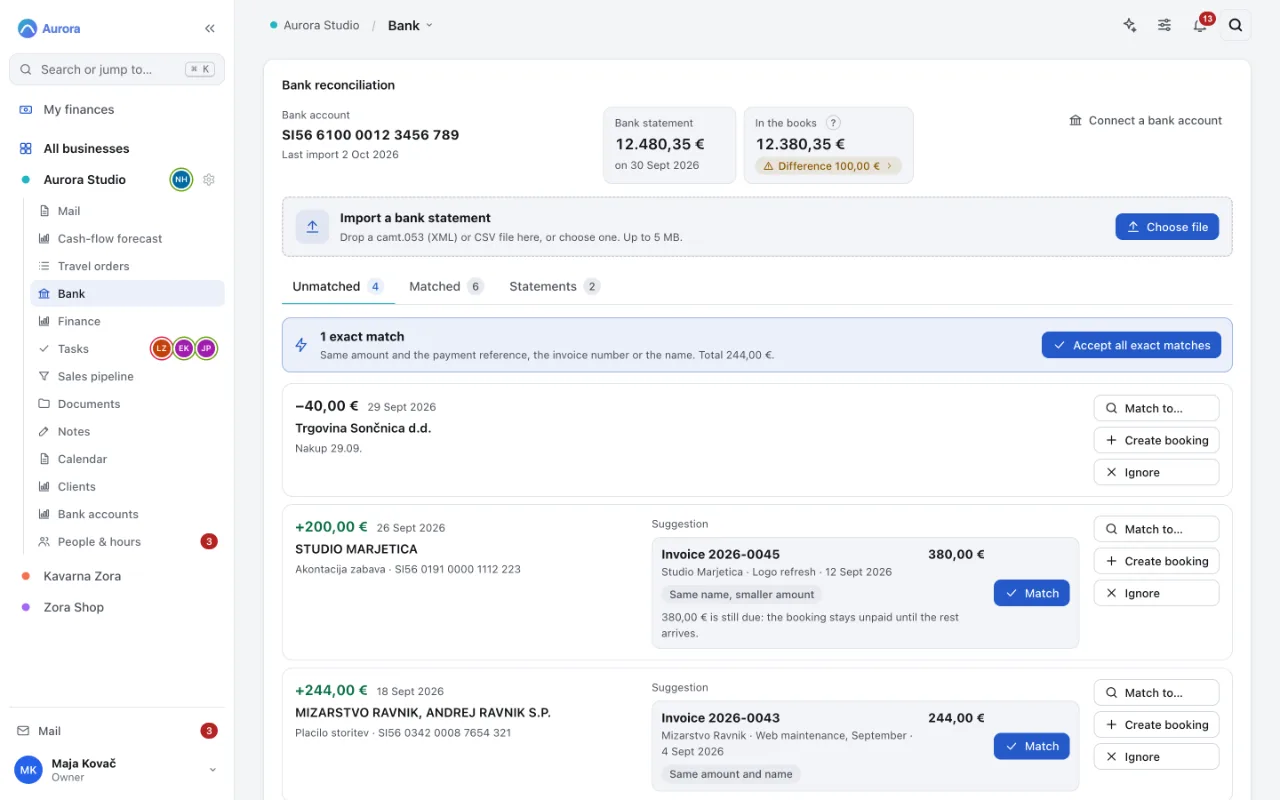
    Import the statement your bank gives you. Payments find their invoices by reference, number or name.

    1. Accept every exact match in one click
    2. A suggestion for the rest, explained
    Bank reconciliation: an imported statement, an exact match ready to accept, and suggested invoices for the other payments.Bank reconciliation: an imported statement, an exact match ready to accept, and suggested invoices for the other payments.
  4. Step 4 of 7

    Paper comes in

    Scan a receipt or a signed contract with your phone. Pages are outlined, straightened and saved as one PDF in the right folder.

    1. Every page in one PDF
    2. Save to the right folder
    The Enovito phone scanner: three straightened pages of a signed contract, ready to save as one PDF.The Enovito phone scanner: three straightened pages of a signed contract, ready to save as one PDF.
  5. Step 5 of 7

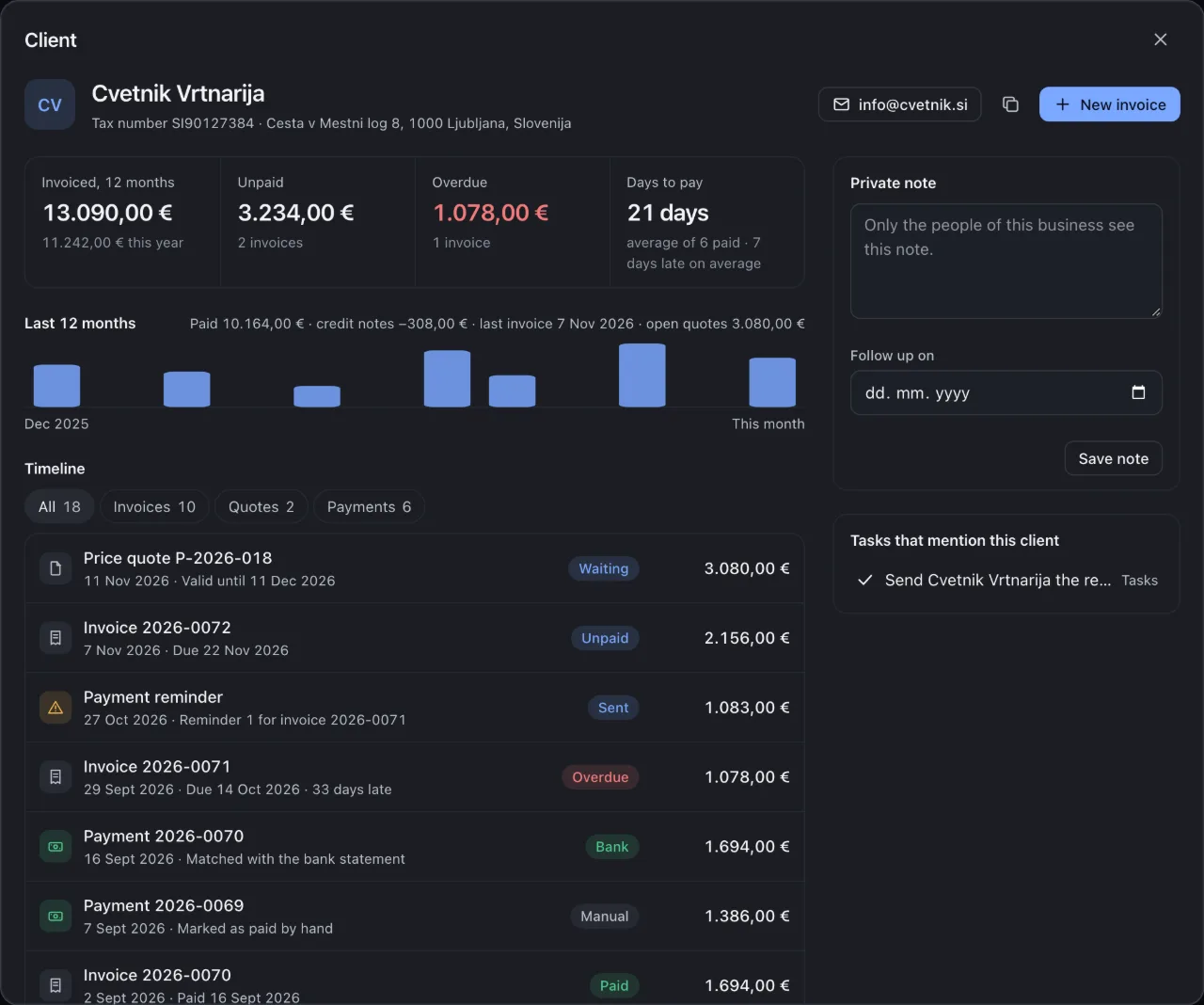
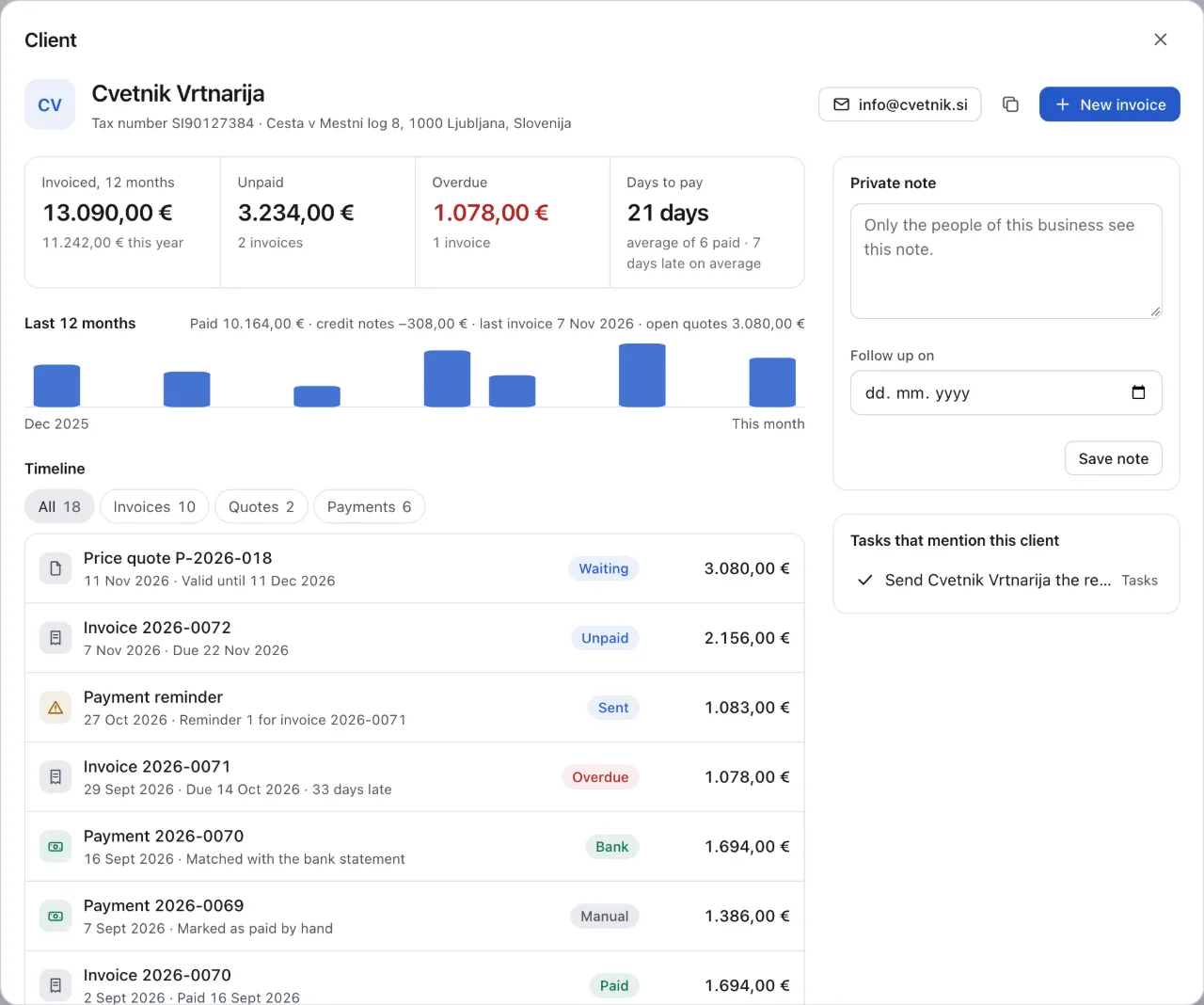
    Who owes us?

    One page per client: invoiced, unpaid, overdue, how many days they take to pay, and every quote, invoice, reminder and payment in order.

    1. Overdue, at a glance
    2. The invoice behind it, with the days late
    A client page: invoiced in 12 months, unpaid, overdue, average days to pay and the timeline of quotes, invoices, reminders and payments.A client page: invoiced in 12 months, unpaid, overdue, average days to pay and the timeline of quotes, invoices, reminders and payments.
  6. Step 6 of 7

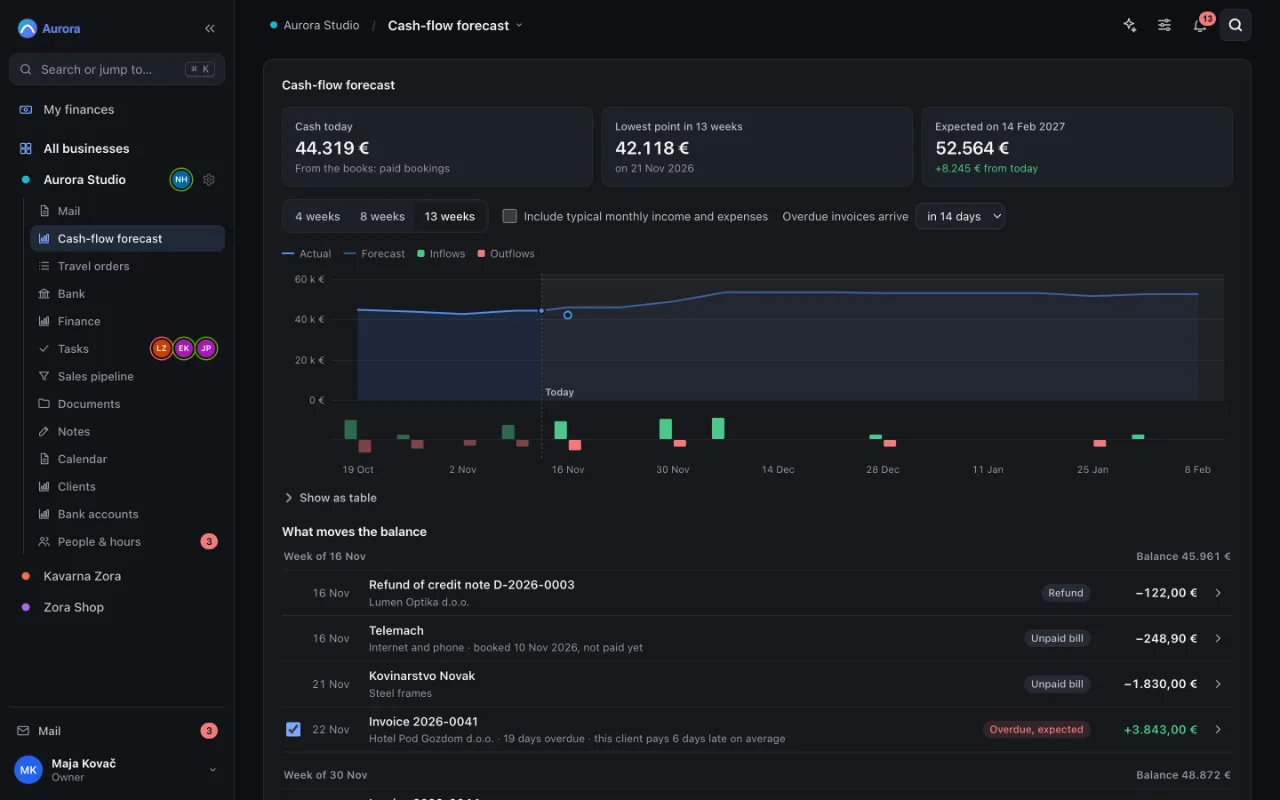
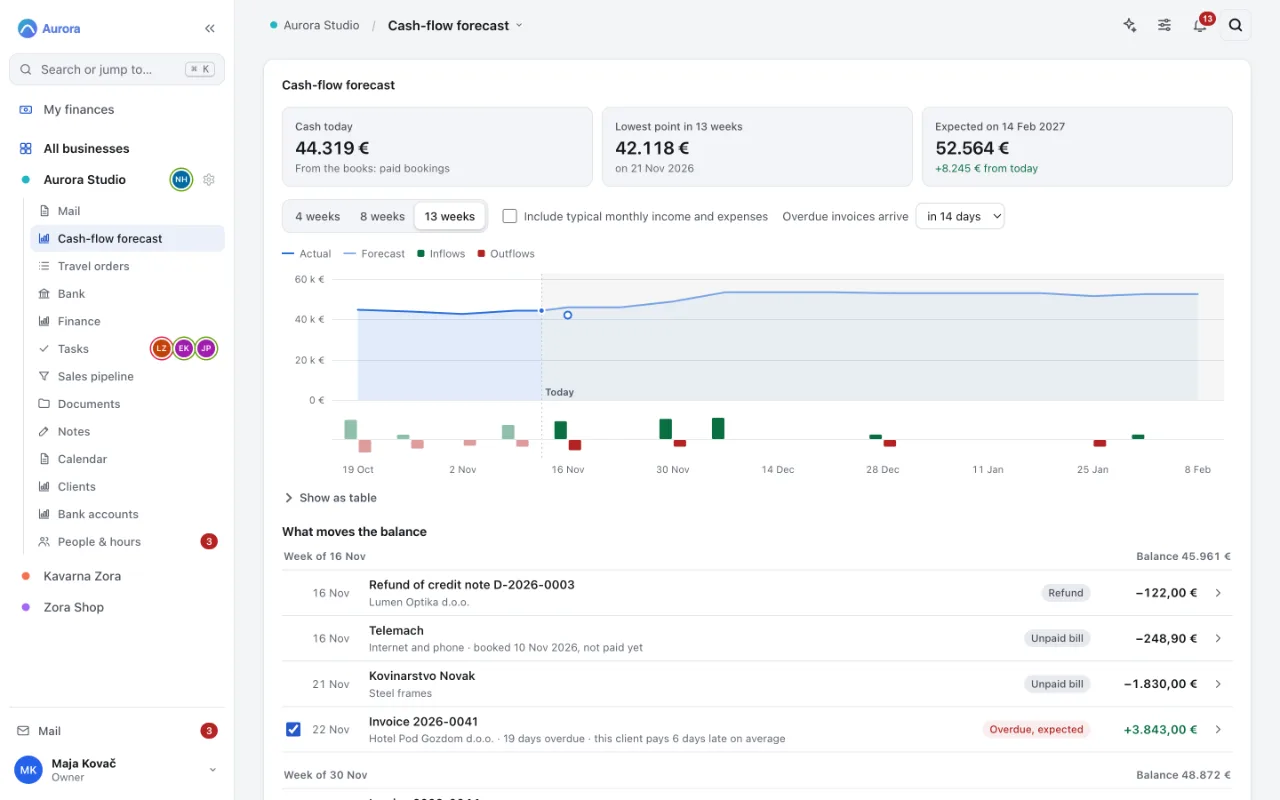
    Will we have enough cash?

    The next 13 weeks of cash, from your own invoices and bills, with the lowest point marked.

    1. The lowest point ahead, and when
    2. Untick an invoice: what if this client does not pay?
    The 13-week cash-flow forecast: cash today, the lowest point ahead, a weekly chart and the invoices and bills that move the balance.The 13-week cash-flow forecast: cash today, the lowest point ahead, a weekly chart and the invoices and bills that move the balance.
  7. Step 7 of 7

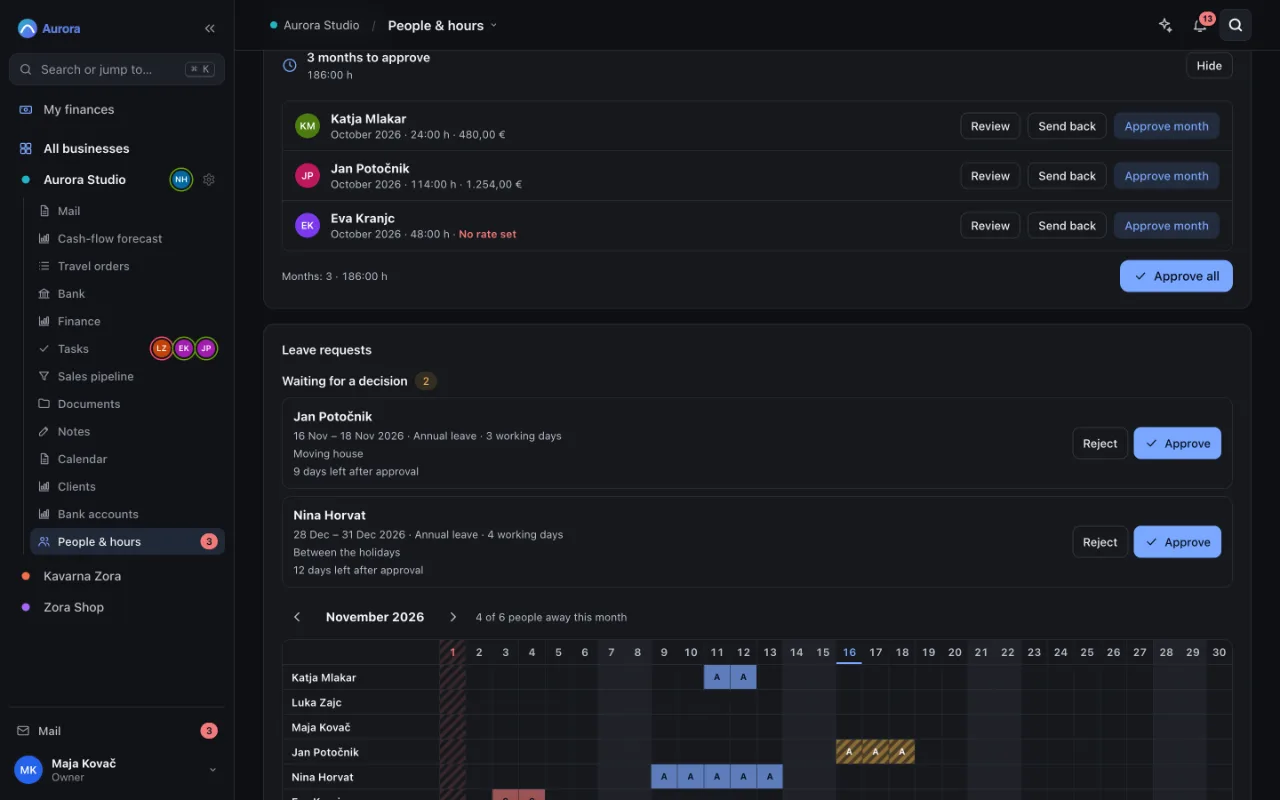
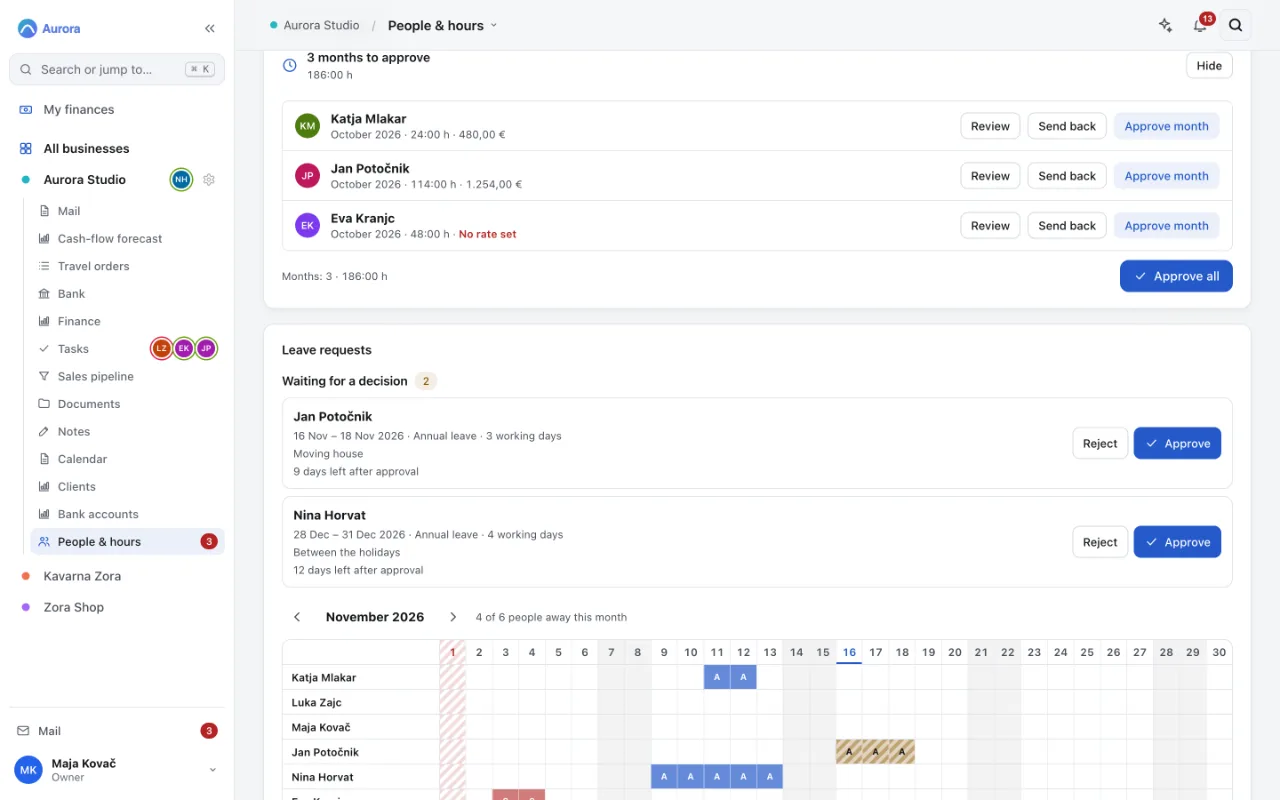
    The month for your accountant

    Approve the month's hours and leave. Approved hours go into the payroll export and the monthly package for your accountant.

    1. Approve every month that waits, at once
    2. Leave requests, with the days left
    Timesheet approval: hours per person for the month, ready to approve.Timesheet approval: hours per person for the month, ready to approve.

Screenshots of the real app with a fictional company, Aurora Studio d.o.o.

Several companies

Every company you own, in one sidebar.

Switch between your d.o.o., your s.p. and the holding without signing in again. Each company has its own books, people, documents and colour; the group view shows cash and what needs attention across all of them.

  • Roles per company: owner, member, accountant, viewer
  • Owners' profit split and dividends
  • One overview across the group
Plans for several companies
The Enovito overview of a fictional group: cash, income and what needs attention across Aurora Studio, Kavarna Zora and Zora Shop.The Enovito overview of a fictional group: cash, income and what needs attention across Aurora Studio, Kavarna Zora and Zora Shop.

Invoices

Slovenian invoices, correct the first time.

Issuer block, tax number, dates of issue and supply, the right VAT wording for a business customer abroad, and a UPN QR code your customer scans in their banking app. Reviewed with a Slovenian accountant, then locked so that no update can change what an invoice prints without review. Need an e-invoice? The same invoice goes out as eSLOG 2.0 XML, checked against the official schema.

  • 12 designs, Slovene or English
  • Quotes, pro-formas, reminders, credit notes
  • eSLOG 2.0 e-invoices, multi-currency
Finance and invoicing

Month end

Your accountant gets a complete package. You get your evenings back.

At the end of each month Enovito puts together what your accountant asks for: issued and received invoices, bank statements, scanned receipts, e-invoice XML and a short summary. They get their own free seat, see only what they need, and download it in one go.

  • Free accountant seat on every plan
  • One download per month, per company
  • VAT figures by booking date, with the source for each
For accountants

Phone app

Paper in, PDF in the right folder.

Install Enovito on your phone from the browser. Point the camera at a receipt or a signed contract: the page is outlined live, captured by itself when you hold still, straightened, and every page is saved as one PDF in the right folder. Photos shared from your gallery become one PDF too.

  • iPhone and Android, no app store
  • Log hours, approve leave, mark an invoice paid
  • Reads receipts with your own AI key; you check and save
The phone app
The Enovito phone scanner: three straightened pages of a signed contract, ready to save as one PDF.The Enovito phone scanner: three straightened pages of a signed contract, ready to save as one PDF.
The Enovito phone app: the company overview with the tab bar.The Enovito phone app: the company overview with the tab bar.

A fair question

Why not keep your invoicing tool, spreadsheets and a drive?

You can. Here is what changes when the same work happens in one place, and what does not.

Separate toolsIn Enovito
Invoices and e-invoicesAn invoicing app, one login per companyBuilt in, with UPN QR and eSLOG 2.0, for every company
Payments receivedA bank export, checked by handImport the statement; payments find their invoices
Bills to payTyped into the bank app one by oneDue dates, one payment file for the bank, a warning when a supplier's account changes
DocumentsA shared drive with its own foldersFiled per company and folder, next to the invoice or client
Hours and leaveA spreadsheet and messagesLogged, approved per month, exported for payroll
Expenses paid by staffReceipts in an envelope, typed in laterPhotographed, approved, booked with the receipt attached
ReportsExported to a spreadsheet and rebuiltProfit and loss, ageing, income by client, with CSV and print
Month endCollect files and e-mail themOne package per company for your accountant

What stays with your accountant

  • The official books, VAT returns and annual reports
  • Payroll calculation (you send them the approved hours)
  • Tax advice for your situation

What it does not do

  • It is not accounting software and does not file anything with FURS or AJPES.
  • It does not send payments: you import the payment file and confirm it in your bank.
  • Live bank connections are in pilot; today you import the statement your bank gives you.

Private by design

Your own instance. Nobody else's data next to yours.

Every customer gets a separate installation on EU hosting with its own database and daily backups. No shared tenant, no ad trackers, no analytics scripts in the app.

  • Single-tenant

    A private instance per customer, on servers in the EU.

  • Daily backups

    Restorable, and a recoverable trash for everyday mistakes.

  • Strict CSP

    The browser is told to run only the app's own code.

  • No trackers

    No analytics, ads or third-party scripts.

How we protect your data

Why trust a new product

Built by a company that runs on it.

Technology Leap d.o.o. builds Enovito and runs its own companies on it every day: invoices, bank, hours and the month-end package for our accountant. Before each release, more than 25,000 automated checks run, including every invoice design and the e-invoice against the official schema.

used to run our own companies
Daily
automated checks before each release
25,000+
languages, every screen: English and Slovene
2

Pricing

One flat price per company instance. Not per seat.

Add the people you work with without watching a meter. Yearly billing gives you two months free.

Billing period

Solo

For one company and a small team that wants its finances, invoices and paperwork in order.

€29 / month

€24.17 / month

excl. VAT€290 billed yearly · excl. VATYou save €58 a year

Start a pilot on Solo
  • 1 business
  • Up to 3 people, plus your accountant
  • Invoices, e-invoices and UPN QR
  • Bank import and reconciliation
  • Documents, tasks, hours and leave

Group

For holding groups that run several companies, with custom apps built for how you work.

€169 / month

€140.83 / month

excl. VAT€1,690 billed yearly · excl. VATYou save €338 a year

Start a pilot on Group
  • Unlimited businesses
  • Up to 40 people, plus your accountant
  • Everything in Team
  • Custom code apps
  • Priority support

Questions owners ask us

Does Enovito replace my accountant?

No. Enovito keeps your invoices, bank statements, receipts and hours in order and gives your accountant a complete monthly package. Your accountant still keeps the official books and files the returns. Most accountants are glad to receive tidy paperwork, and their seat is free.

Is it only for Slovenian companies?

It is built for Slovenia first: Slovenian invoice rules, UPN QR, eSLOG 2.0 e-invoices, FURS deadlines, s.p. and d.o.o. Companies elsewhere in the EU can use it in English; invoicing rules for other countries are on our list, not in the product yet.

Where is my data stored?

In your own private instance on EU hosting, with daily backups. Your data is not mixed with other customers' data.

Can I get all my data out?

Yes. An owner can download everything the company has put in as one ZIP archive: tables as CSV, structure as JSON and the stored files as they are, with a README in English and Slovene. The archive is built on demand and kept for 24 hours.

Who can see what?

Roles are set per company: owner, member, accountant or viewer. Documents can be shared per folder and per person, mailboxes can be private, and the accountant sees finance, documents and the monthly package, not your notes or mail.

How is signing in protected?

With two-step sign-in: after the password, a six-digit code from an authenticator app on your phone, with single-use recovery codes. Owners can require it for everyone, and each person sees the devices they are signed in on.

What happens after the 30-day pilot?

You choose a plan and keep everything you entered, or you tell us to stop and we delete the instance. There is no card on file, so nothing renews by accident.

Is this the Slovenian edition, or a translation?

Built for Slovenia from the start: invoices with the issuer details, dates and VAT wording Slovenian rules ask for, UPN QR, eSLOG 2.0 e-invoices, FURS deadlines, s.p. and d.o.o. Every screen also exists in English.

How does the AI assistant work, and who sees my data?

The assistant uses your own Anthropic API key, which you enter in settings. Questions and the documents you ask about go from your instance to Anthropic only when you use it. Anthropic bills the usage at cost; we add nothing on top. Without a key, everything else works as usual.

Can I move my existing invoices and clients in?

Yes. Lists can be bulk imported, and bank statements come in as camt.053 or CSV. If you would rather not do it yourself, the Concierge migration (€290, one-off) moves your clients, open invoices and documents for you.

Is there an app for iPhone and Android?

Yes. Enovito installs from the browser as a phone app (a PWA): home-screen icon, full screen, tab bar. No app store needed.

Try it on your own month end.

Thirty days, your own private instance, no card. If it is not for you, we delete everything and part as friends.

No card. We set up your private instance by hand, normally within one working day.